Use developer mode to make changes to your reMarkable Paper Pro’s software with the Secure Shell (SSH) protocol. Note that using developer mode can make your paper tablet less secure.
Developer mode is only available on reMarkable Paper Pro.
Things to know before using developer mode:
- Running custom or modified software may cause your paper tablet to stop working or impair its performance.
- Please note that you are responsible for any errors or defects caused by your use of developer mode. Such errors or defects will not be covered by reMarkable's limited warranty or Protection Plan.
- If you use developer mode, your paper tablet will no longer verify the authenticity of the software, putting your system stability and data at risk.
- NOTE: If using the Developer mode causes any errors or defects, such errors or defects will not be covered by the warranty.
- After using developer mode, you can access files you’ve synced to the cloud by re-pairing your paper tablet.
- Access to root shell is offered in compliance with the GPL v3 license.
Entering developer mode
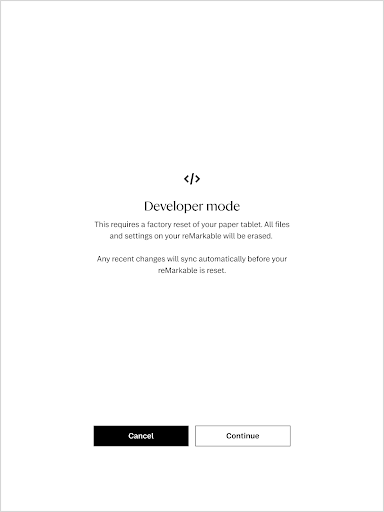
To enter developer mode, you’ll need to perform a factory reset. This will delete all the files on your paper tablet. Make sure your files are synced to the cloud before using developer mode.
- Tap the menu in the upper-left corner, then Settings.
- Under General > Software, tap your software version.
- Tap Advanced.
- Tap Developer mode. Please read the information on this page carefully.
- Tap Accept to continue.
- Enter your passcode.
- Tap Continue to start the factory reset and enter developer mode.
- Your paper tablet will automatically restart. After restarting, your paper tablet will be in developer mode. Tap Next.
Accessing your reMarkable Paper Pro via SSH
- Enter developer mode, as described above.
- Tap the menu in the upper-left corner, then Settings.
- Under General > Help, tap About.
- Tap Copyrights and licenses. You’ll find the username and password under GPLv3 Compliance.
Leaving developer mode
To leave developer mode, use recovery mode to reset your paper tablet.