What are templates on reMarkable?
Templates are built-in page layouts you can use in notebooks to help with writing, drawing, planning, or organizing. Some popular options include:
- Ruled for lined writing
- Music for composing scores
- Weekly schedule for planning your week
Note: Templates are only available in notebooks — not in PDFs or EPUBs.
How do I choose a template in a notebook?
- Open a notebook.
- Tap the layers icon in the toolbar.
- Tap Template.
- Choose the template you'd like to use.
Can I set a template when creating a new notebook?
Yes, you can!
- In My files or a folder, tap the Notebook icon at the top.
- Select a recently used template, or tap View all.
- Tap Create to start a notebook with the chosen template.
Templates are grouped into five categories: All, Creative, Grids, Life/organize, and Lines.
You can also pick portrait or landscape mode.
Note: Custom templates are not supported on reMarkable.
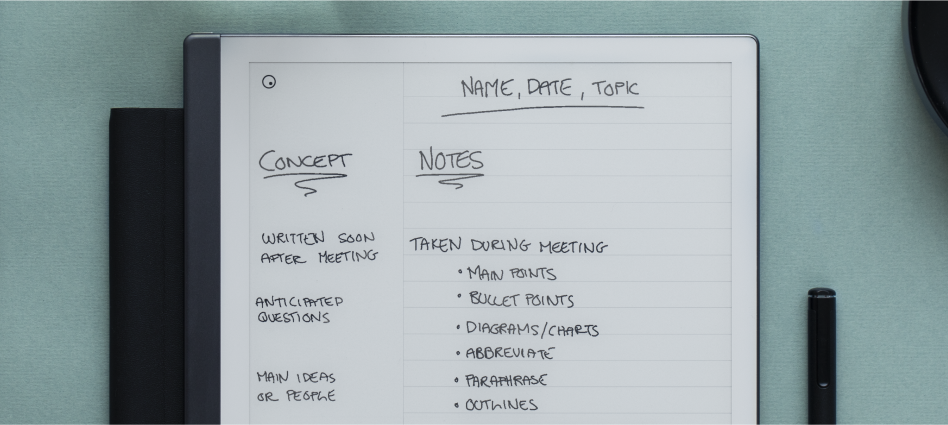
What is the Cornell template and how do I use it?
The Cornell template is based on the Cornell Method — a structured way to take notes efficiently. It divides the page into three parts:
- Left column – Jot down topics, keywords, and cue questions.
- Right column – Take detailed notes in short form.
- Bottom section – Summarize the page in a few sentences.
It’s ideal for students, professionals, or anyone who needs to retain a lot of information.
Are there templates for planners?
Yes! Under Life/organize, you’ll find daily and weekly planner templates to help you stay organized and plan ahead.
Learn more tips at our Learning and Inspiration Hub: Using reMarkable.
What are creative templates used for?
Creative templates are perfect for designing, sketching, or brainstorming. These layouts are built to help you visualize and share your ideas easily.
Use the Send by email feature to instantly share your artwork with others.
Find them under the Creative category in the template overview.
Are there any additional templates?
Connect subscribers get access to even more diverse templates as well as PDF workbooks through reMarkable Methods. Read all about it here.
Can I use custom templates?
You could design a PDF to use as a template and import it onto your device (duplicate for future use before writing on top). However, this comes with some limitations of the PDF format (not being able to convert notes to text in a PDF).
*These will not appear in the Templates menu/be applicable as a background for a notebook, and are imported as separate documents instead.
Third-party templates and/or those that interact with or alter the tablet’s software are not supported at this time.