New functionality
Table of contents for ebooks and documents
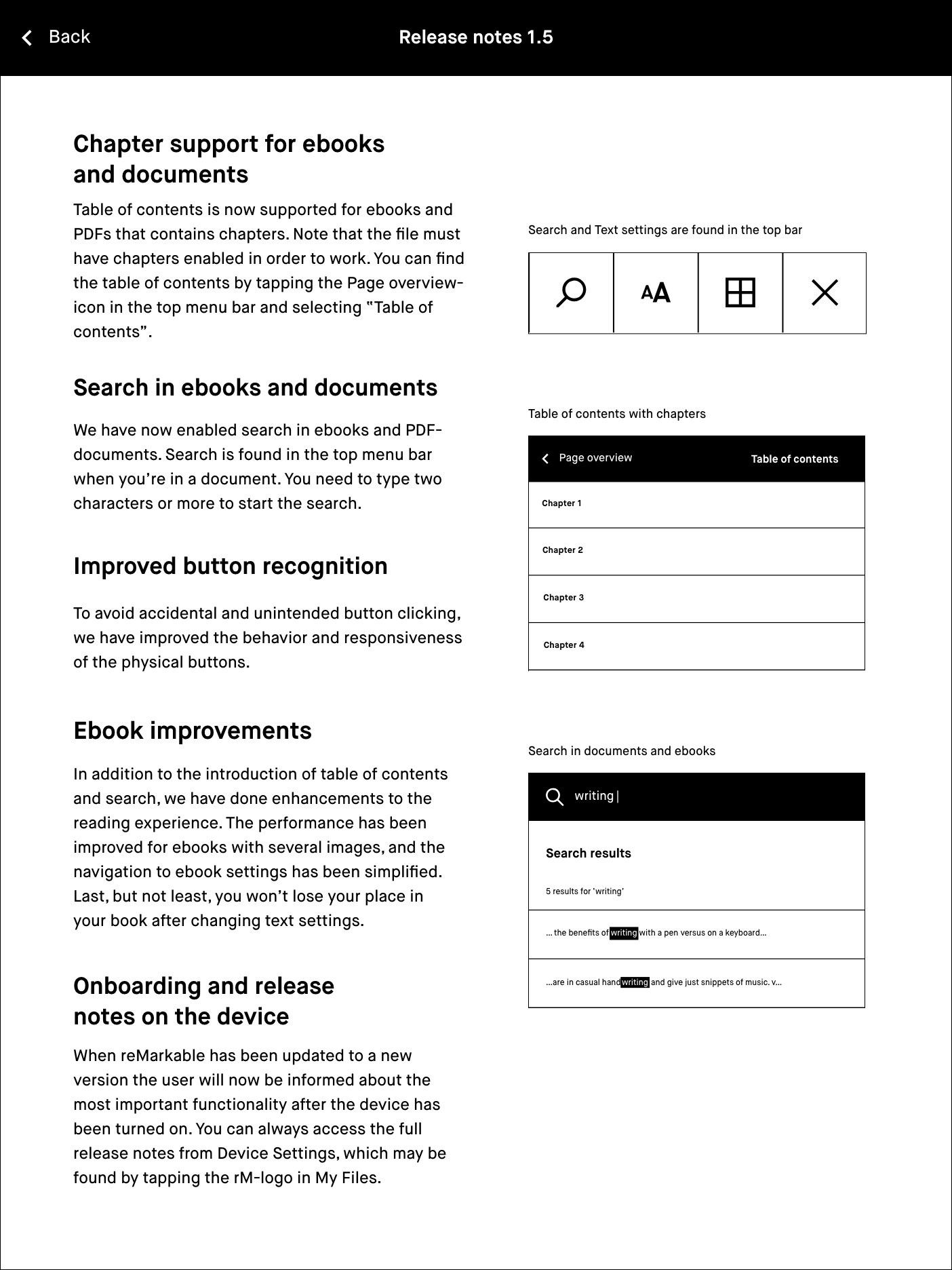
Chapters are now supported for ebooks and PDFs that contains chapters. Note that the file must have chapters enabled in order to work. You can find Table of contents by tapping the Page overview-icon in the top menu bar and selecting “Table of contents”.
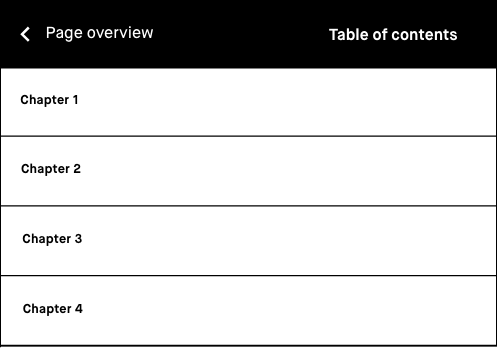

To find Table of contents, simply tap the Page overview-icon.
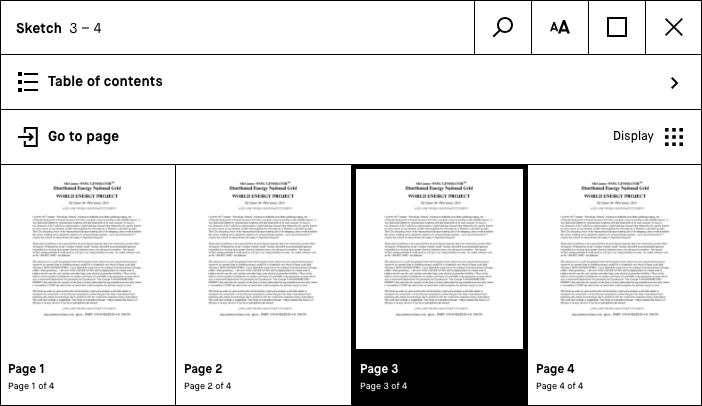
In Page overview, select Table of contents.
Search in ebooks and documents
We have now enabled search in ebooks and PDF-documents.

Search is found in the top menu bar when you’re in a ebook or a document.
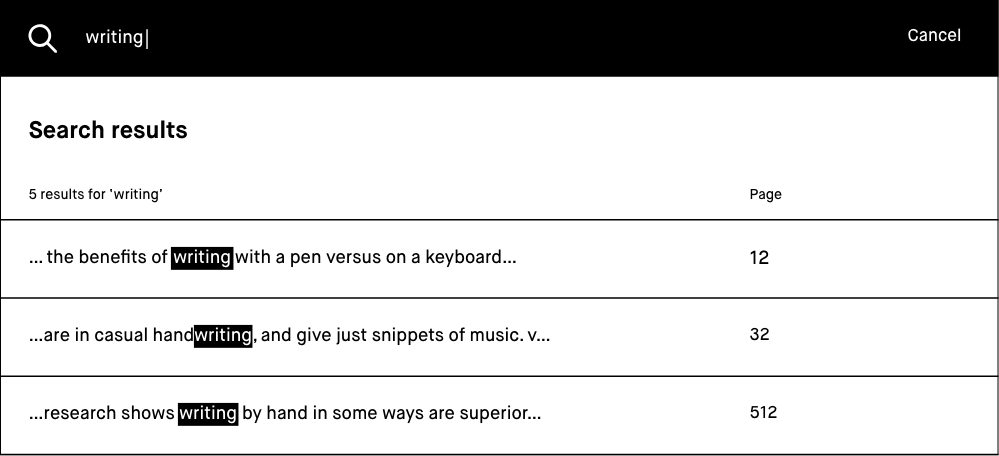
You need to type two characters or more to start the search.
Onboarding and release notes on the device
When reMarkable has been updated to a new version the user will now be informed about the most important functionality after the device has been turned on. You can always access the full release notes from Device Settings, which may be found by tapping the rM-logo in My Files.
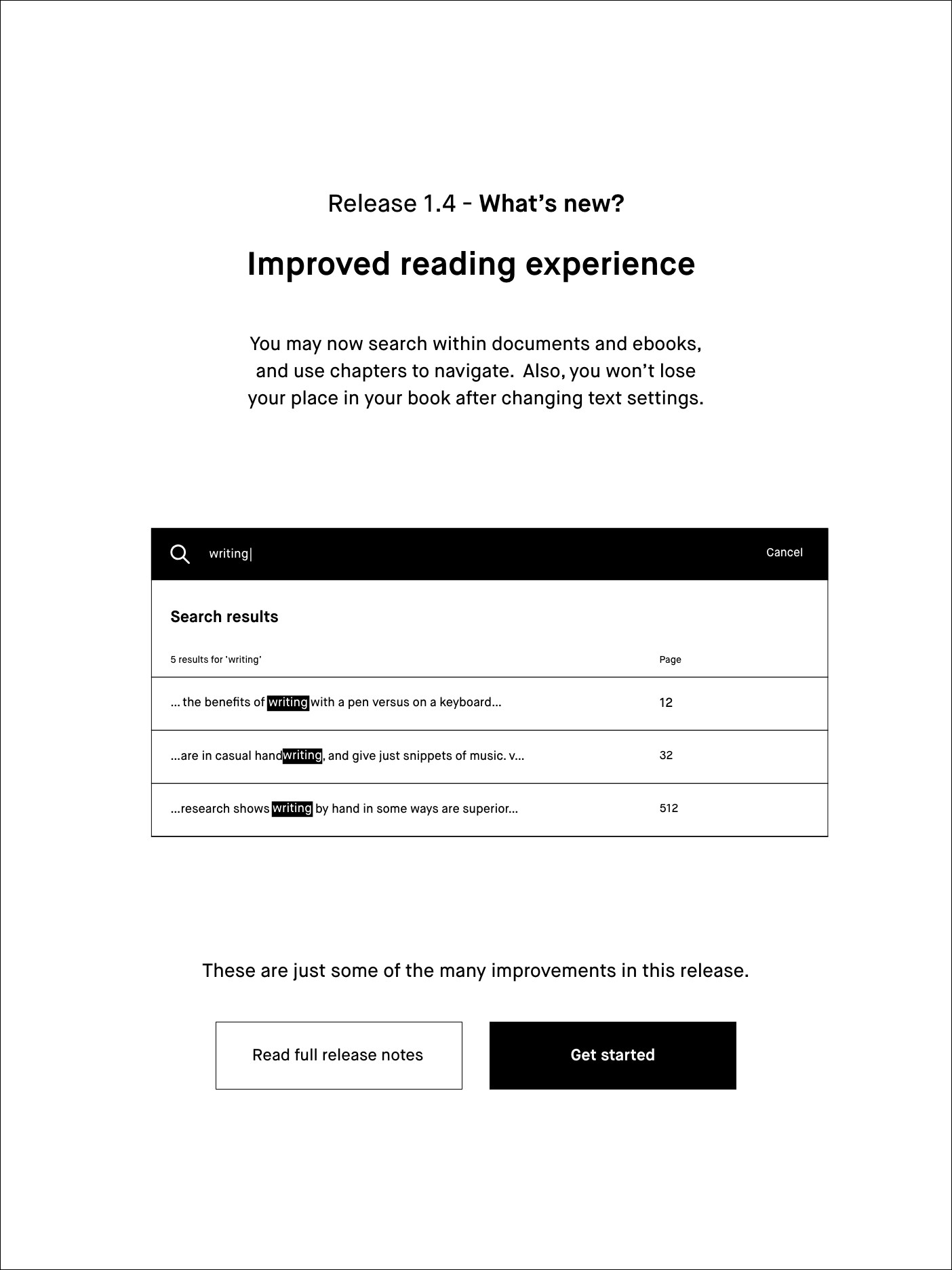
A splash screen introduces the most important functionality.
Release notes are available from Device settings.
Improved functionality
Improved button recognition
To avoid accidental and unintended button clicking, we have improved the behavior and responsiveness of the physical buttons.
Ebook improvements
The ebook reading experience has been updated in several ways. In addition to the implementation of table of contents and search, the navigation within an ebook has been enhanced to emphasize ebook settings (for text formatting). Last, but not least, you now won't lose your place in your book after changing text settings.

Read more